We are here to help - State Exams, QC, Compliance, Operations

30 years and thousands of exams - we've seen it all. Find reliable, human answers to your questions

How do I manage the Date of my document

Document Management

How do I manage the Date of my document

Selecting the current date automatically updates your document date.

Last updated on 20 Aug, 2026

We usually recommend putting the last review date there; today's date.  Then, instead of sending in the Word document, print to PDF so that you have journaled the change.  We do that for the exact reason - to avoid having to go through and re-date documents. 


But if you must, go to "Date and Time" in the footers
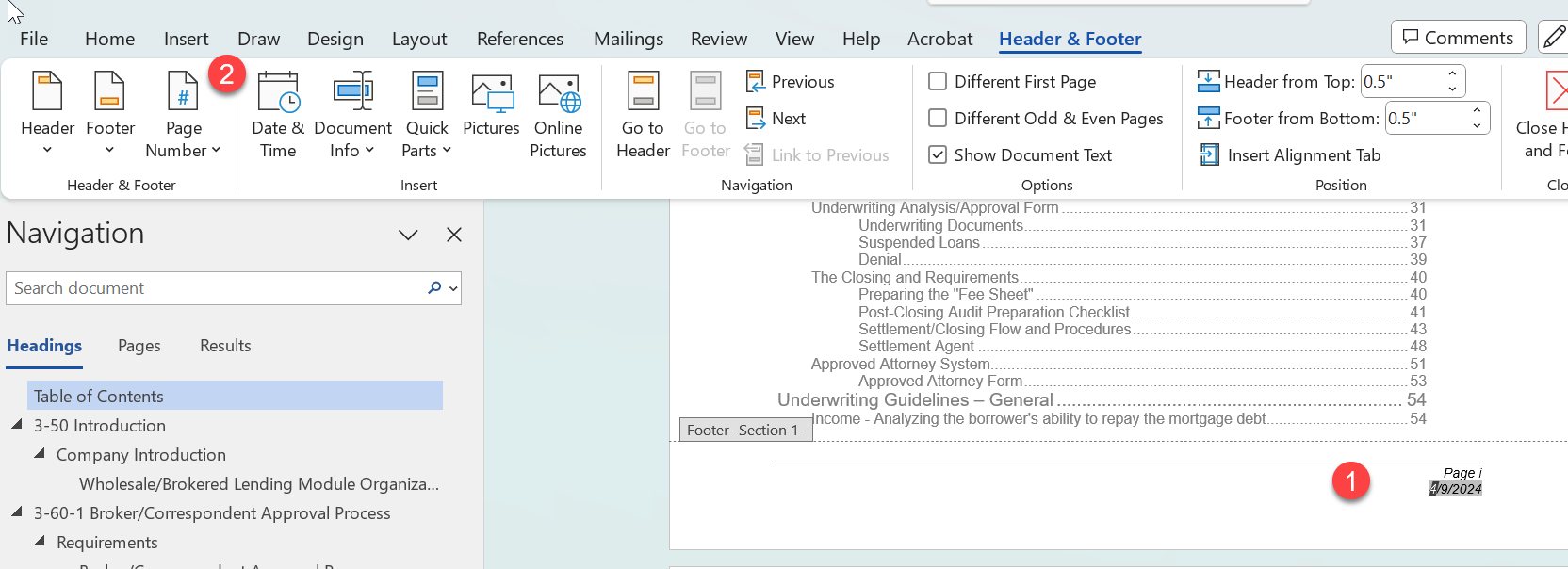
How to navigate a word document and edit the current date


Image


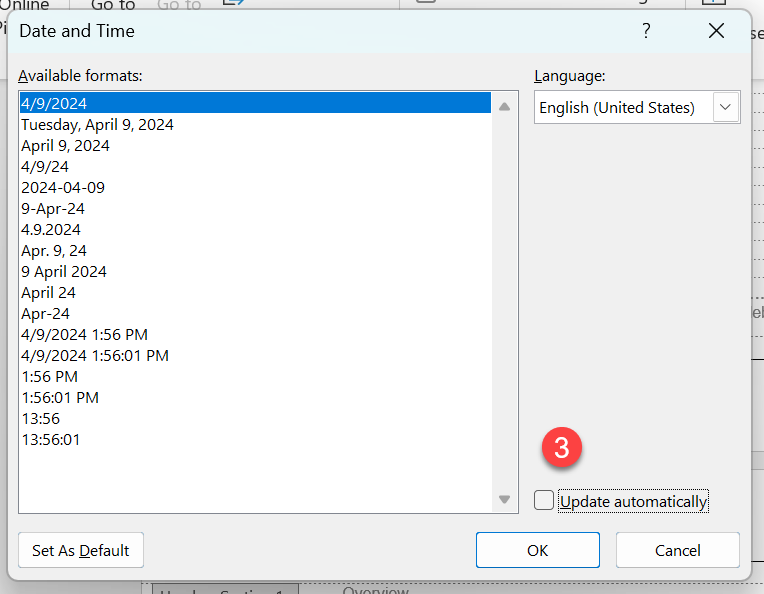
Deselect Update Automatically - then your manual changes will appear throughout. 

Did you find this article helpful?
Previous

How do I update the "revised date" on my policies?

Next